By Chris Kindrick
Creatives keep hearing about AI models as if they’re interchangeable. Write a prompt, click generate, get an image.
In practice, that’s not how it feels.
When I started comparing different AI models against the same visual intent, the differences showed up fast. Not just in quality, but in instinct. Some models seemed to think like photographers. Some leaned more illustrative. Some handled texture beautifully. Others felt better suited for mockups, mood boards, or motion.
That’s what makes comparing them useful.
The goal isn’t to find one model that wins every time. It’s to understand which one is better suited for the kind of creative problem you’re trying to solve.
Adobe’s partner-model ecosystem in Firefly makes that kind of side-by-side testing easier because partner models now appear across several workflows, including image generation, boards, video, and vector generation. Adobe also draws an important distinction: Adobe’s own models are positioned as commercially safe for use, while partner models require users to evaluate whether they’re right for the project. That’s a meaningful shift for creatives. You’re not just choosing a tool. You’re choosing a visual tendency.
So instead of asking, “Which AI model is best?” I started asking a more useful question:
Which AI model is best for this kind of assignment?
Same prompt. Different brains.
To test that idea, I used the same core visual intent across multiple models.
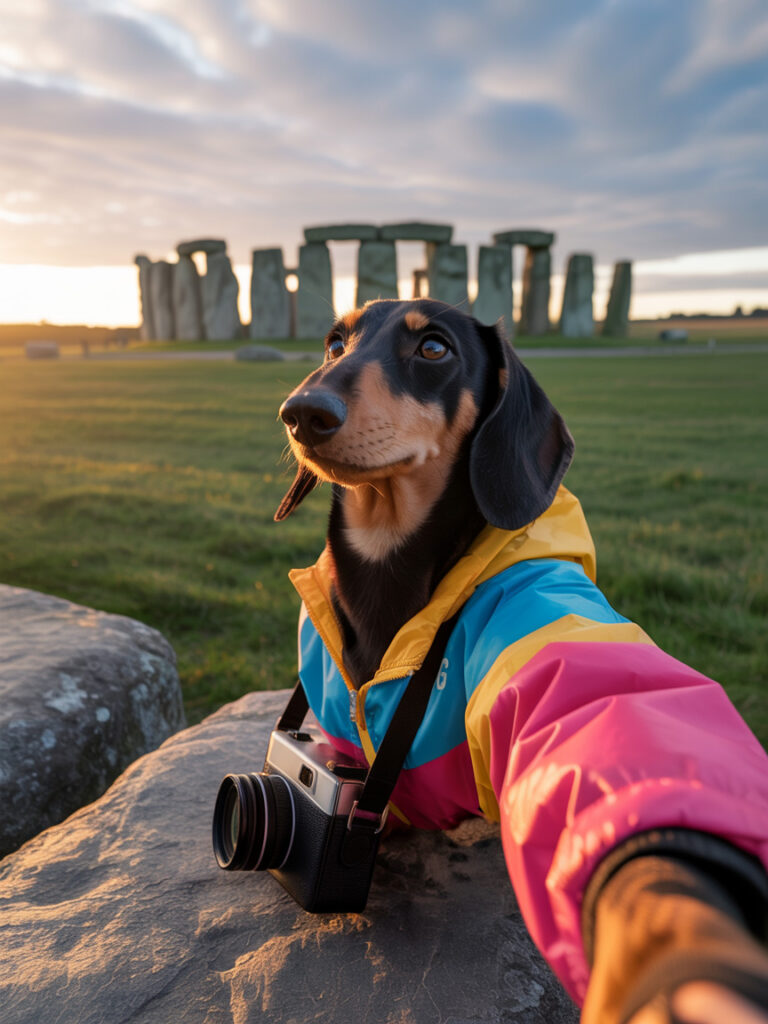
I refined my original prompt using the framework lesson from my previous post which was intentionally a little ridiculous to express a concept of a dog wanting to be on vacation at a place it can’t normally go. The refined prompt is:
“a stylish Dachshund tourist taking a selfie at Stonehenge during golden hour, wearing a colorful windbreaker and crossbody camera bag, cinematic travel-photo composition, natural lighting, realistic fur texture, playful but believable mood”
Why it exactly works: It gives the models a lot to solve at once. Concept. Character. Styling. Expression. Fur. Lighting. Environment. Depth. Landmark recognition. A little humor. A little realism. A little storytelling. Enough complexity to make the differences obvious.
And the differences were obvious.
Some models handled the scene like a travel photographer. Some seemed more interested in texture. Some framed the moment with more cinematic confidence. Others felt more naturally suited for stylization, branding, or graphic ideation.
That lines up with the way Adobe describes several of its partner models. In Adobe’s own examples, Imagen 4 is noted for strong depth of field and photo-like composition, GPT Image for realism and texture, Imagen 3 for realistic mockups and cinematic storytelling, Flux 1.1 Pro for rich but more muted color behavior, Ideogram 3.0 for stylized illustration and logo concepts, and Veo 2 for sharp, fluid motion rendering.
That doesn’t mean each model stays in one lane. But the tendencies are real enough to be useful.
So is it useful? Well, maybe if you have a client that boards dogs for extended stays like Stone Ward has it is. All those factors make it easier to see where each model naturally excels and where it starts to drift.
| Model | Best For | Prompt Structure That Helps |
|---|---|---|
|
Imagen 4 |
Photoreal scenes, polished compositions, travel/editorial imagery |
Subject + environment + composition cue + lighting + realism target |
|
GPT Image |
Texture-rich detail, asset generation, high-clarity visual development |
Subject + material/detail language + form clarity + output style |
|
Gemini 3.1 (w/ Nano Banana Pro 2) |
Photoreal scenes, polished compositions, cinematic storytelling |
Subject + environment + composition cue + scene mood + user context |
|
Flux 2.0 Pro |
Atmospheric imagery, muted richness, moodier art direction |
Subject + scene mood + palette restraint + finish |
|
Ideogram 3.0 |
Logo concepts, stylized illustration, graphic ideation |
Symbol + style adjectives + shape language + scalability cue |
|
Veo 3 |
Motion concepts, storyboards, animated mockups |
Scene + action + camera move + pacing + tone |
MODEL CHEAT SHEET
Imagen 4 felt polished and photographic.
Good for image exploration when you want the result to feel composed, dimensional, and closer to a finished visual.
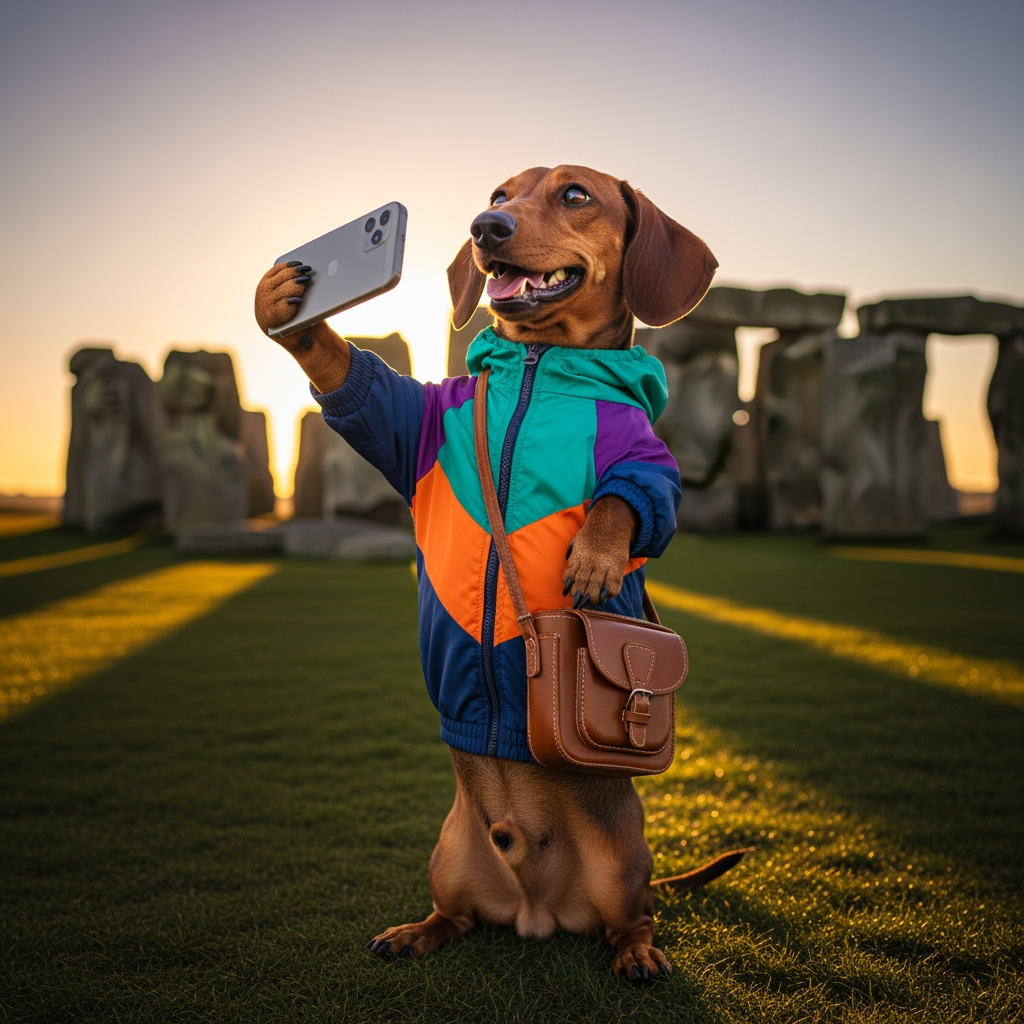
GPT Image did a strong job with texture and detail.
It felt especially useful when the image needed tactile quality or when the visual idea had a lot of small surface information to resolve.
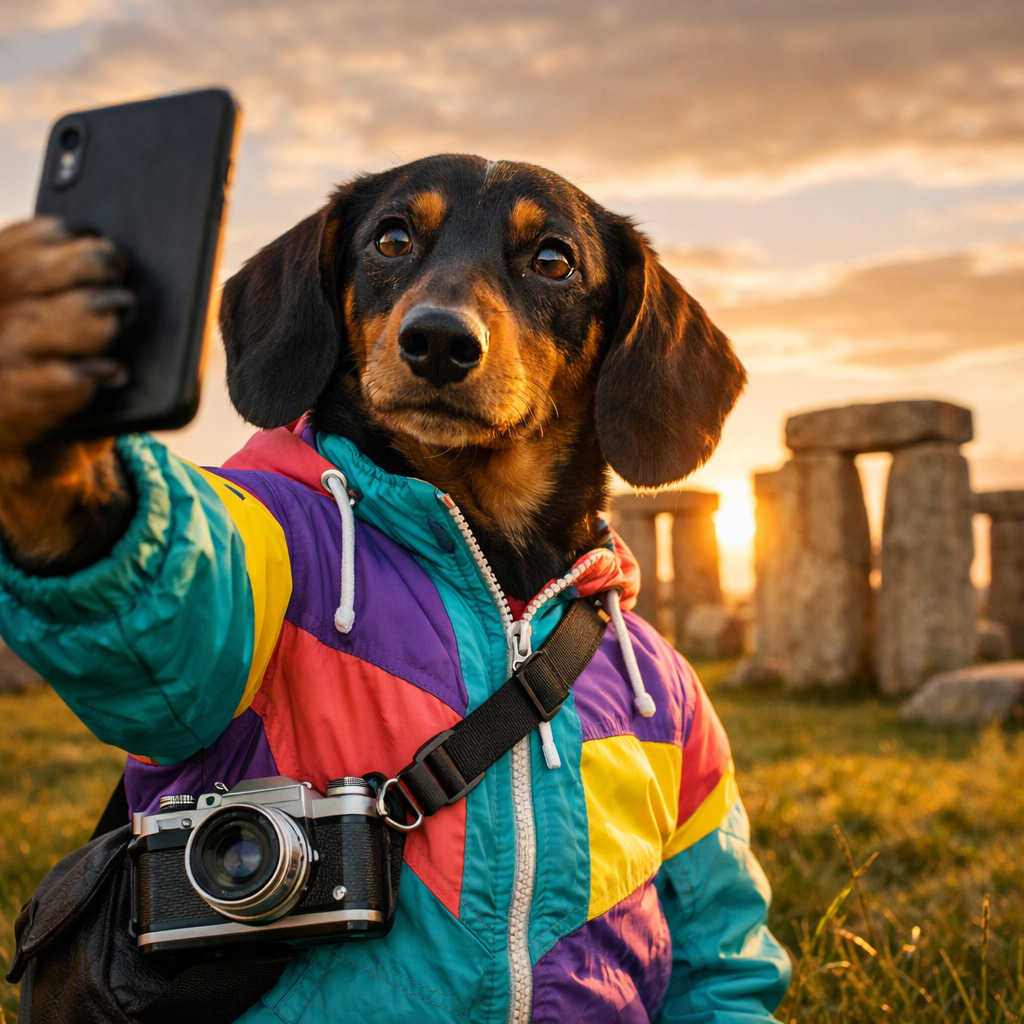
Gemini 3.1 (w/ Nano Banana Pro 2) beautiful detail, interesting background elements without having to provide specifics. There was something more narrative about the way it handled composition, which made it useful for scenes that needed to feel a little more lived in.
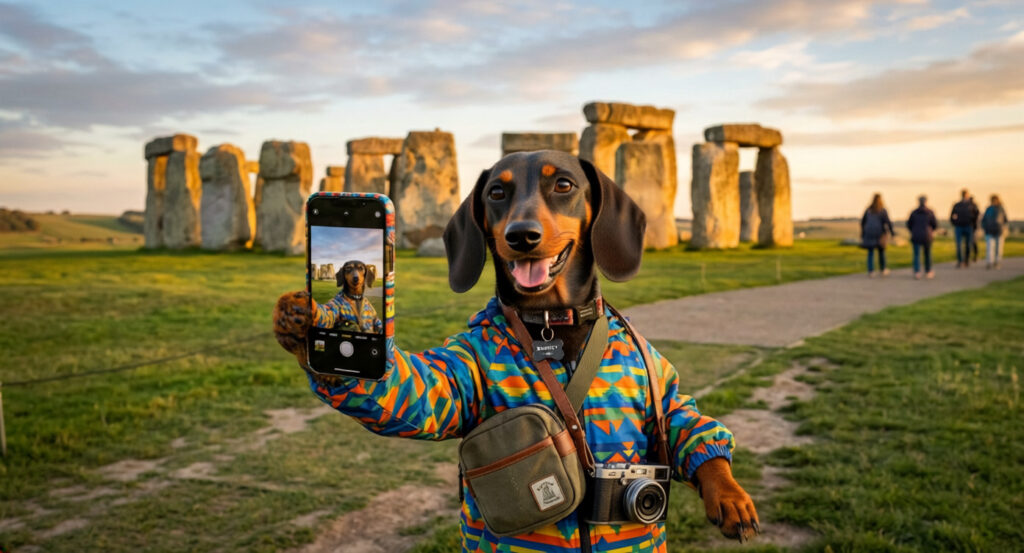
Flux 2.0 Pro brought a moodier look.
The color felt richer, but quieter. Less punchy in some cases, but sometimes that restraint is exactly the point.

Ideogram 3.0 made the most sense for graphic ideation.
When the goal shifts from realism to stylized illustration, symbols, or logo concepts, that bias starts to work in your favor.
Veo 3 felt strongest where motion mattered. When camera movement, pacing, or animation behavior entered the picture, it made more sense than treating motion like an afterthought.
AI models are not just image generators. They’re visual interpreters.
That’s the part I think creatives should pay attention to.
For me, the biggest takeaway from comparing models wasn’t getting the perfect image. It was learning which model had the right energy for the job. Which one I’d reach for when I need a mood board. Which one I’d trust for a branded mockup. Which one I’d use when I need stylized graphic ideation instead of glossy nonsense pretending to be strategy.
That’s where creative control still matters.
AI can generate options. It can accelerate exploration. It can absolutely surprise you. But it still takes a human eye to decide what fits the brand, what supports the idea, and what’s just visual confetti.
That part is still ours. And honestly, that’s the role I’m most interested in keeping.
Not creative replaced. Creative amplified.